The point of it
is to provide a relatively quick set of results, finding the terms in a list and arranging them by their frequency in your corpus.
Useful for terminology research. Or as a check before concordancing to study in more detail.
How to do it
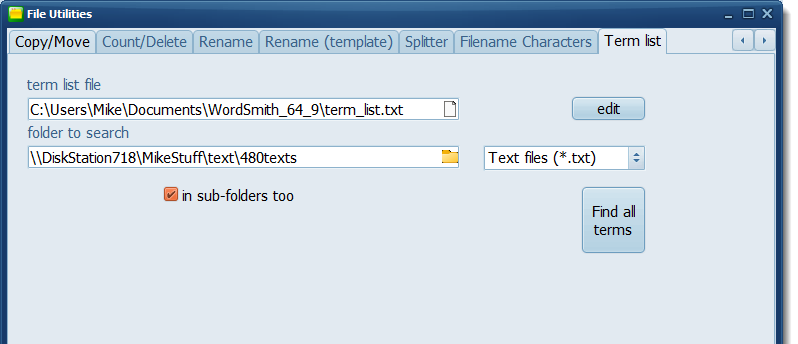
In File Utilities, find the Term List tab.
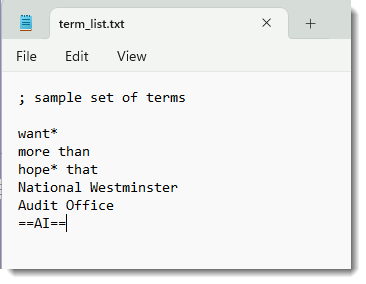
Create a simple term list saved in Notepad:
Press the Find all terms button.
Results will look like this:
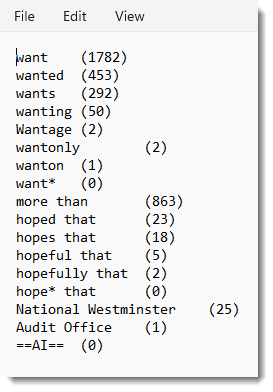
The terms are listed in order of your original list, and within variants by frequency. They are saved in a temporary file, you can save it elsewhere as you like.