The point of it...
The idea is to follow up a large concordance by breaking it down into specific sub-sections, so one can see how many of each sub-type are found in the whole list.
Example
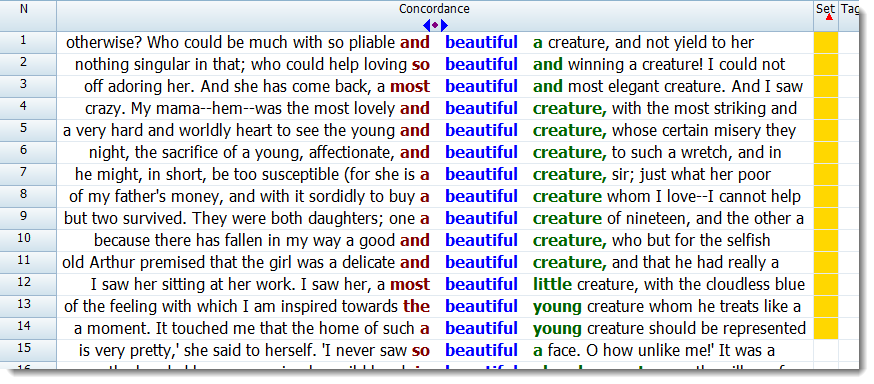
The screen-shot below came from a concordance of beautiful in Charles Dickens:
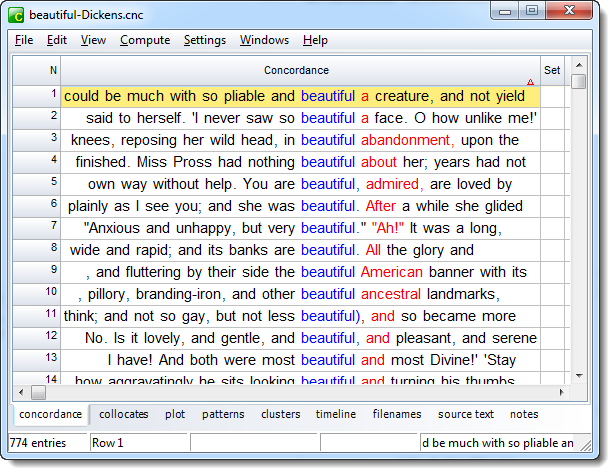
There are 774 lines. Looking through them, it became apparent that Dickens was fond of the collocations beautiful creature and beautiful face, but how many are of beautiful creature or similar (such as so.. beautiful a creature in line 1) and what proportion of the lines is that?
How to do it
Choose Compute | Colour Categories in the menu.
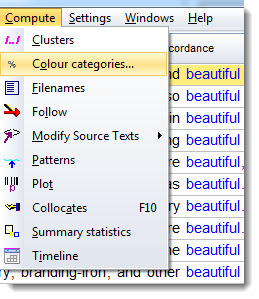
which opens up the colour categories box. Here we have completed the spaces so as to get cases of beautiful ... with creature up to 4 words away, and chosen to mark them gold.
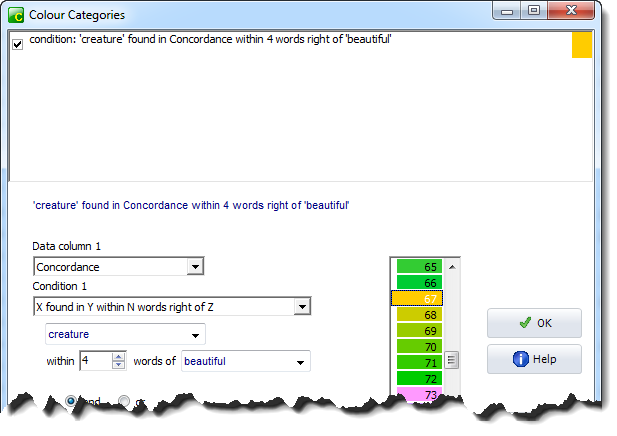
to colour yellow any which meet this condition. On pressing OK we find the first such line is now marked gold.
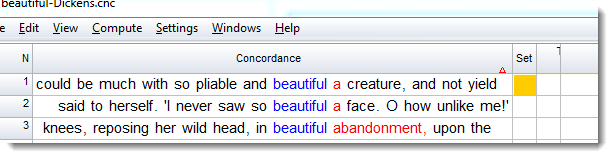
Where are the others? To find them, simply sort on the Set column.
This function applies to word lists and other data too, and is explained in more detail the main colour categories section. The set column itself can contain characters or words as well as colours, as explained in the set column section.